


Yes, a 17 inch laptop briefcase on wheels can suit business travel when its laptop compartment fits your device and its layout keeps work essentials organized. The collection discussed here accommodates laptops measuring 13 to 17 inches. Padded laptop storage, practical pockets, durable wheels, and a telescoping handle are useful features to consider.
A larger laptop can make a conventional briefcase cumbersome, especially when you’re also carrying documents, chargers, and travel essentials. A wheeled case can make that load easier to manage, but the right choice depends on how you travel and what you need close at hand.
This guide explains how rolling cases organize business essentials and compares common materials and briefcase styles. You’ll learn what to look for in a laptop compartment, how wheels and handles affect everyday use, and when a structured aluminum case may better suit your travel routine.
Key Takeaways
- Match the laptop compartment to your device, then map where documents, chargers, and other work essentials will go.
- Compare briefcase layouts and materials by how you travel, what you carry, and how much structure you prefer.
- Assess a rolling case’s packed dimensions, including its wheels and handle, when considering it for cabin travel.
- Explore a compact underseat case when keeping essential work items close matters more than carrying a larger briefcase.
Bag organization and multi-pocket design
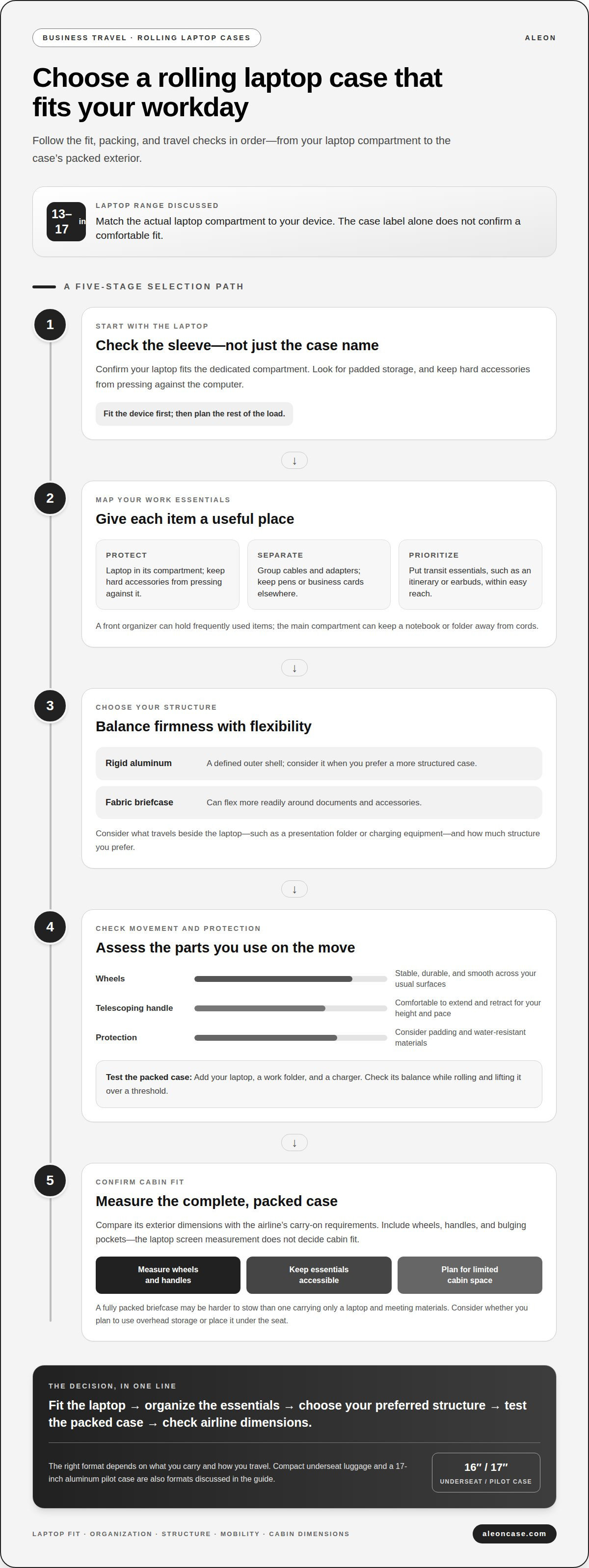
For a 17-inch laptop, compartment size is only the starting point. A useful layout gives the computer a dedicated sleeve. Separate spaces keep documents, chargers, and smaller work tools in order. The available size range spans laptops from 13 to 17 inches. Match the sleeve to your device, rather than relying on the case label alone.
Plan around your usual workday before comparing pockets. For example, place your laptop beside a meeting folder, rather than packing it loosely alongside cables. Store a charger, mouse, and presentation adapter separately. A front organizer can keep frequently used items accessible, while a roomy main compartment can hold a notebook or folder away from cords. This layout helps you retrieve essentials without unpacking the entire case.
Use this three-part packing test with the items you carry:
- Protect: Set the laptop in its dedicated compartment and keep hard accessories from pressing against it.
- Separate: Group charging cables and adapters in one pocket, then keep pens or business cards elsewhere.
- Prioritize: Put items needed during transit in an easy-to-reach pocket, such as an itinerary or earbuds.
More pockets don’t automatically mean better organization. A pocket helps only when its size and position suit a specific item. Before choosing a 17 inch laptop briefcase on wheels, list your regular work essentials and assign each a place. Check whether the packed layout still leaves room for documents. A dedicated laptop sleeve, cable storage, and an accessible pocket create a practical system without turning every item into a separate compartment.
17-Inch wheeled laptop cases and briefcases
A 17 inch laptop briefcase on wheels suits business travel when its design matches your device and routine. Start with the laptop compartment, then compare how the case handles weight, movement, and daily access. A roomy label alone doesn’t tell you whether the compartment fits your computer comfortably.
Briefcase styles balance structure and flexibility differently. A rigid aluminum case provides a defined outer shell, while a fabric briefcase may flex more readily around documents and accessories. Consider what travels beside your laptop, such as a presentation folder or charging equipment, and how much structure you prefer.
Wheels and handles shape the experience beyond the office. Compare these details before choosing:
- Wheels: Look for a stable, durable rolling setup that moves smoothly across the surfaces in your travel routine.
- Telescoping handle: Check that it extends and retracts comfortably for your height and walking pace.
- Material: Weigh the structure of a hard case against the flexibility of fabric when planning what to pack.
- Protection: Consider a padded laptop compartment and water-resistant materials for added practicality.
Then test the packed case as a complete unit. Place your laptop inside, add a work folder and charger, and assess the balance. A full case should remain manageable when you roll it and lift it over a threshold. If a structured aluminum design suits your travel needs, compare aluminum luggage options for a dedicated laptop-case format.
Are rolling laptop briefcases allowed as US carry-ons?
Yes, a rolling laptop briefcase can travel in the cabin if it meets the airline’s carry-on requirements. The wheels, handle, and packed contents all contribute to the case’s overall size. A slim briefcase may fit more easily than a fully packed case with expanded compartments. The deciding factor is the airline’s stated size limit, not the laptop screen measurement.
Before choosing a case for a U.S. flight, compare its complete exterior dimensions with the airline’s carry-on rules. Include protruding wheels and handles in your measurement, then consider whether you plan to place the case in overhead storage or under the seat. A larger rolling case may take up more cabin space than a compact personal item, especially when packed with work folders and accessories.
Use this simple packing check before departure:
- Measure the packed case: Include wheels, handles, and any bulging pockets.
- Keep essentials accessible: Place a laptop charger or travel documents where you can reach them easily.
- Plan for limited space: A full briefcase can be harder to stow than one carrying only a laptop and meeting materials.
Cabin space and airline requirements shape what happens at boarding. A case that fits the stated carry-on dimensions is better suited to cabin travel; one that exceeds them won’t meet that size requirement. For a business trip with a laptop and documents, consider the packed case, not its empty dimensions. Compare aluminum carry-on luggage options for a structured travel format.
ALEON: 16" underseat luggage
ALEON offers 16" underseat luggage for business travelers who want a compact case for essential items. If your laptop and work materials call for a different format, ALEON also offers a 17" aluminum pilot case. Choose between these options by considering what you need to carry and how you prefer to organize travel essentials. The underseat format suits a compact packing approach, while the pilot case provides another size and style to consider alongside wheeled briefcases. Neither replaces the need to compare your packed case with your airline’s cabin requirements. For a business trip, start with the laptop and documents you carry, then select the case style that best supports your routine. Contact ALEON to explore its travel case options.
Choose a case that fits your next trip
Your next step is to match your case to the way you travel, not just the size of your laptop. A 17 inch laptop briefcase on wheels may suit a full workday in transit, while another case format may better match a lighter packing routine. Think about what you carry beyond your computer and how you move between meetings, terminals, and ground transport.
ALEON offers 16" underseat luggage, a 17" aluminum pilot case, and a 21" aluminum carry-on. These distinct formats give business travelers options for different packing needs. Consider which case aligns with your work essentials and travel style, then explore the available choices directly with ALEON.
Contact ALEON about your case and take the next step toward travel that feels more organized and considered.
Frequently Asked Questions
Are 17 inch rolling laptop cases suitable for business travel?
Yes, a rolling briefcase can suit trips that involve moving a large computer between terminals, transport, and client meetings. Rolling the case can make a heavy work setup easier to move than carrying it by hand. For a day with several stops, consider whether the packed case remains manageable through doorways, elevators, and meeting spaces.
What features should I look for in a 17 inch rolling laptop case?
Check the laptop’s actual width, depth, and thickness against the compartment, since screen size alone doesn’t show its full dimensions. Allow room for a protective sleeve if you use one. Then test your intended packing arrangement with the charger and accessories, so the computer won’t press against bulky items.
What are the best rolling laptop briefcases that fit a 17-inch laptop?
There isn’t one best choice for every traveler. ALEON’s 17" Aluminum Wheeled Business Case and 17" Aluminum Deluxe Wheeled Business Case are specific options to compare for a 17-inch laptop. Assess the computer’s physical dimensions against the laptop compartment, then consider which case better suits your typical work setup and travel routine.
What features should I look for in a rolling laptop briefcase?
Consider how the case secures valuables and protects sensitive cards or credentials. ALEON aluminum cases include TSA-approved combination locks and built-in RFID shielding. These features may matter if you carry identification or payment cards alongside work materials. Think through what you bring, then choose a case with security features suited to those items.


